Free · Android 7.0+
The olx23 app puts slots, live casino, fishing games and cricket betting on your phone. Built for Bangladesh — bKash and Nagad deposits work natively, and the interface loads fast on a 4G connection. Version 2.1.18, 45 MB, completely free to download.
Scan on your phone camera to go straight to the download page. No Play Store required.
Version Details & What Your Phone Needs
Before you download, check these numbers match your device. The olx23 app is lean by design — 45 MB takes about 90 seconds on a standard Grameenphone connection.
| Item | Details | Notes |
|---|---|---|
| App Version | 2.1.18 | Latest stable build — download this version directly from the link on this page |
| File Name | olx23.apk | Single file, no extra OBB data required |
| File Size | 45 MB | Under 50 MB; safe to download on mobile data |
| Android Required | 7.0 (Nougat) or newer | Works on most phones made after 2016; check Settings → About Phone → Android version |
| Last Updated | 10 November 2026 | Includes improved bKash deposit flow and faster lobby loading |
| Price | Free | No installation fee, no hidden charges |
| iOS / iPhone | Web App (PWA) | Open olx23.site in Safari → Share → "Add to Home Screen" for an app-like shortcut |
| Language | English / Bangla | Switch in Settings inside the app at any time |
Already have an older version? Uninstall it first, then install 2.1.18 fresh — your account balance and history are saved on the server.
olx23.apk · v2.1.18
Install in Five Steps: Android APK Guide
Android blocks apps from outside the Play Store by default. That is a one-time setting. Follow these five steps and you will be at the login screen in under five minutes.
-
1
Allow Installation from Unknown Sources
Go to Settings → Apps → Special App Access → Install Unknown Apps (exact label differs by manufacturer). Find your browser — Chrome, Samsung Internet, or whichever you use to download — and tap Allow. This permission applies only to that one browser; it does not open your phone to every outside source. You can switch it back off after installation.
-
2
Download the APK File
Tap the Download APK button above or scan the QR code on this page. Your browser will show a download progress bar at the top or bottom of the screen. The file is named olx23.apk and is 45 MB. On a standard 4G connection it finishes in about 90 seconds. Wait until the bar reaches 100% before tapping Open — a partial download will fail to install.
-
3
Open and Install the APK
Tap Open in the download notification, or go to your Files / Downloads folder and tap olx23.apk. A system prompt asks you to confirm installation — tap Install. Android scans the package first; this normally takes 10–15 seconds. Do not tap Cancel during the scan. When you see "App installed", proceed to step 4.
-
4
Open olx23 and Log In or Register
Tap Open on the success screen, or find the olx23 icon in your app drawer. The app loads the lobby in a few seconds. If you already have an account, tap Log In and enter your credentials. New here? Tap Register — the sign-up form takes under two minutes and your 135% first-deposit bonus activates automatically on your first bKash or Nagad deposit of ৳400 or more.
-
5
Make Your First Deposit and Start Playing
In the app, tap the Deposit button in the top bar. Choose bKash, Nagad, Rocket, Upay or Bank Transfer. The minimum is ৳400 and funds appear in your wallet within 5 minutes. Your 135% welcome bonus (up to ৳15,500) is credited at the same time. Head to the casino lobby and pick any game to play.
iOS / Safari shortcut: Open olx23.site in Safari on your iPhone. Tap the Share icon (box with arrow), then tap Add to Home Screen. Name it "olx23" and tap Add. The icon appears on your home screen and opens the full site in full-screen mode — no APK needed.
Security & App Permissions: What to Expect
The olx23 app requests only the permissions it genuinely needs. Here is what each one does and why it is there.
SSL / TLS Encryption on All Traffic
Every connection between the app and our servers uses 256-bit TLS encryption. Your account details, deposit requests and session tokens are encrypted end-to-end. You can verify this: look for the padlock icon when using the browser version at olx23.site. The APK uses the same certificate chain.
No Camera or Microphone Access
The app does not request camera, microphone or location permissions. The only device-level access required is internet (for gameplay) and storage (to cache game assets locally so pages load faster on repeat visits). If an installation asks for camera or contacts, you have downloaded a fake file — discard it and use only the link on this page.
File Integrity Check Before You Install
Android verifies the APK signature before installation completes. The olx23.apk is signed with our official certificate. A "Parse Error" or "Package Damaged" message means the file was corrupted during download — delete it and re-download from the link above. Do not proceed with a corrupted file.
Account Security Inside the App
You can enable a 4-digit PIN or biometric lock in App Settings → Security after your first login. Withdrawals always require your registered payment number, so funds cannot leave your account even if someone else opens the app on your phone. Enable device lock as an extra layer — Settings → Screen Lock on Android.
Match Night or Commute — Here's What's Inside
The olx23 app is a full casino and sportsbook in your pocket. These are the six main areas, each designed to load quickly on a 4G or Wi-Fi connection.
 Slots
Slots — FA Chai, JILI, Pragmatic Play
Over 3,900 slot titles from top providers including FA Chai, JILI and Pragmatic Play. Titles like Go Rush and Fortune Gems start from ৳1 per spin. RTP figures are shown on each game's info screen inside the app so you always know the return rate before you spin.
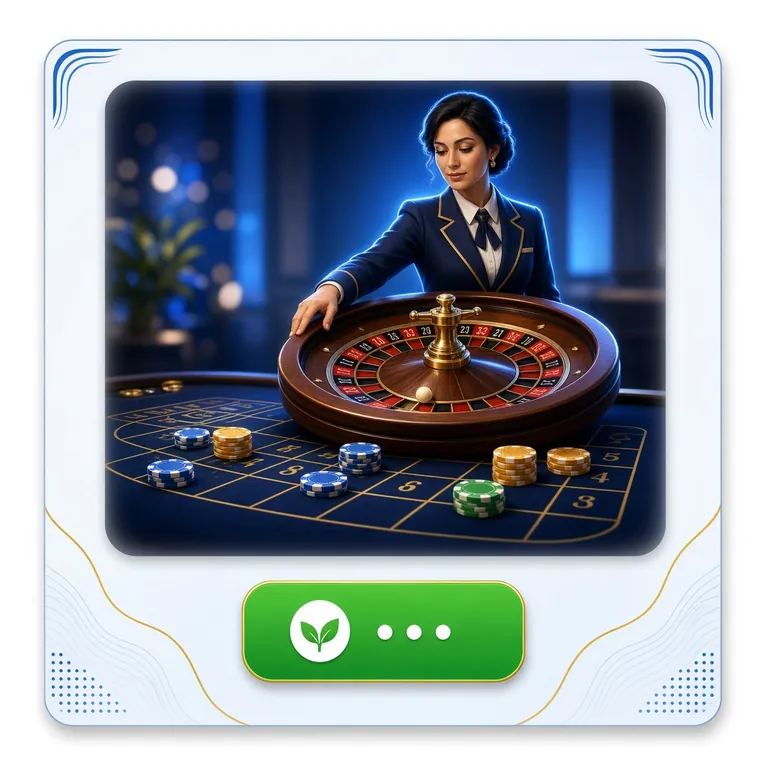 Live
Live Casino — Real Dealers, 24/7
Ezugi and JILI power the live lobby: roulette, baccarat, blackjack and game-show tables stream 24 hours a day. The mobile stream adapts to your connection — drops to a lower resolution on weak data rather than freezing. Minimum live bet is ৳2 on most tables.
Fishing Games — FA Chai & JILI
Fishing Kui Li and Fierce Fishing are among the most-played titles among Bangladesh players. The touch controls work well on small screens — you tap and drag to aim, no physical buttons needed. Bet from ৳1 and adjust the power of your shot in real time. Fast rounds, ideal for short breaks.
Cricket Betting — BPL, IPL, T20 & ODI
Bet on Bangladesh Premier League, IPL, T20 World Cup and ODIs. The app shows live scores next to the odds and lets you cash out during a match. Pre-match 1X2 and live in-play markets update in real time. Minimum stake matches the site — check the deposit guide for currency notes.
Crash & Instant Games — Spribe
Win Drop and Super Bingo from Spribe load in under three seconds on the app. Crash-style multiplier games suit quick sessions during a commute — rounds last between 10 and 90 seconds. Minimum bet ৳2, and you can set an auto cash-out multiplier so you do not need to watch the screen constantly.
bKash & Nagad Deposits Built In
The app has a native bKash and Nagad payment flow — no copy-pasting account numbers. Tap Deposit, choose your method, confirm the amount (minimum ৳400), and the transaction is handled within the app. Funds arrive in under 5 minutes. Rocket, Upay and Bank Transfer are also available from the same screen.
App vs Browser: Pick What Suits Your Setup
Both options use the same account, balance and bonuses. The difference is in convenience features and loading speed.
| Feature | olx23 App (APK) | Browser / PWA |
|---|---|---|
| Works on Android | Yes — native APK | Yes — any browser |
| Works on iPhone / iOS | No APK for iOS | Yes — Safari PWA |
| Home screen icon | Auto-added on install | Manual Add to Home Screen |
| Lobby load speed | Faster — assets cached locally | Normal — loads from server each visit |
| Push notifications (match starts, bonus credited) | Yes | Not available |
| Biometric / PIN lock | Yes — in App Settings | No |
| bKash in-app payment flow | Native flow, no copy-paste | Available, slightly more steps |
| Live casino streaming quality | Adaptive bitrate | Same adaptive bitrate |
| Storage used on device | 45 MB (APK) + cache | Browser cache only (~10–20 MB) |
| Needs Play Store | No — direct APK download | No |
| Account, balance & bonuses | Shared — same account | Shared — same account |
| Auto-update | Manual — check this page for new APK | Always latest version |
Already registered on the website? Log in with the same credentials in the app — your balance, bonus progress and bet history all carry over instantly.
Installation Problems: Five Common Issues & How to Fix Them
Most installation failures have a simple cause. Check the table below before contacting support — it covers every issue our Bangladesh players report.
| Error / Symptom | Likely Cause | Fix |
|---|---|---|
| "Install Blocked" message | The "Unknown Sources" permission has not been enabled for your browser. Android blocks APKs from outside the Play Store by default — this is expected behaviour, not a security alert about olx23 specifically. | Go to Settings → Apps → Special App Access → Install Unknown Apps. Select your browser (Chrome, Samsung Internet, etc.) and turn Allow on. Then tap the downloaded olx23.apk file again and proceed. |
| "Parse Error" or "Package Damaged" | The APK file did not finish downloading correctly, or it was interrupted mid-download. Opening a partial file causes Android's installer to fail at the verification step. | Delete the partially downloaded file from your Downloads folder. Re-download from the link on this page. Wait for the progress bar to reach 100% before tapping Open. Use Wi-Fi if your mobile data is unstable. |
| "Insufficient Storage" | Your phone has less than 100 MB of free internal storage. Android needs roughly double the APK size as working space during installation (45 MB file → ~90 MB needed temporarily). | Go to Settings → Storage. Clear cached app data for apps you use less often, or move photos to Google Photos and delete local copies. Free at least 150 MB then retry the installation. |
| App installed but crashes on launch | Your Android version may be below 7.0, or a previous installation left corrupt data. Rarely, an aggressive battery-saver profile can terminate the app before it fully initialises. | Check Settings → About Phone → Android version. If below 7.0, use the browser version at olx23.site instead. If 7.0 or above, uninstall olx23, restart your phone, then reinstall the fresh APK. Also check Battery Settings — add olx23 to the unrestricted list. |
| Games not loading inside the app | This is almost always a network issue rather than an installation issue. The app requires an active internet connection for all game content — nothing is stored locally except the interface shell. | Check your connection by opening any other website. Switch between Wi-Fi and mobile data to see which is faster. If the lobby loads but specific games do not, the game provider may be under maintenance — try a different game category while waiting. |
Still stuck after trying the fixes above? Start a 24/7 Live Chat session from inside the app (tap the headset icon in the top-right) or from any page on olx23.site.
Take the Lobby With You: Download the APK
The file on this page is the whole install: one olx23.apk, signed, version 2.1.18, and nothing fetched afterwards. Put it on your phone and the slots, live casino tables, fishing rooms and cricket markets sit in one place, with the same balance you see on the website.
-
45 MB, one file
Light enough for mobile data. No second data pack, no Play Store detour, no extra permissions prompts after install.
-
bKash and Nagad in the cashier
Top up from ৳400 without opening a browser tab. Most mobile wallet transfers land in about 5 minutes.
-
Cash out on the same screen
Withdrawal requests usually clear in about 16 minutes once your KYC review is finished, up to ৳85,000 a day.
-
Someone awake at 3 a.m.
24/7 live chat sits one tap below the lobby, in English or Bangla, for stuck installs and deposit questions.
Scan with your camera to open this page
Questions Players Ask Before Installing
Jump to
Is the olx23 APK file safe to install?
Yes — as long as you download from the link on this page (olx23.site/olx23-app/). The APK is signed with our official developer certificate. Android verifies that signature before installation completes; a mismatched or absent signature causes an automatic block. The app requests only internet access and local storage. It does not read contacts, access the camera, or track your GPS location. If you downloaded olx23.apk from any other website, delete that file and re-download from here — third-party APK mirrors are not under our control and may carry modified builds.
How do I update the olx23 app when a new version is released?
The olx23 app does not update automatically because it is not installed through the Play Store. When a new version is available, you will see an in-app banner at the top of the lobby saying "Update Available". Tap it — the app opens this page in your browser where you can download the new APK. Alternatively, bookmark this page and check back periodically. The current version is 2.1.18, released 10 November 2026. Installing the new APK over the existing one upgrades it without removing your saved login session. Your balance is always server-side, so no data is lost during updates.
I have an iPhone — can I use the olx23 app?
There is no iOS APK (Apple does not allow third-party APK installation). iPhone users access the full olx23 platform through Safari. Open olx23.site in Safari, then tap the Share icon and choose Add to Home Screen. This creates a PWA shortcut that opens the site in full-screen mode without a browser toolbar — it looks and behaves like an app. Every feature is available: deposits, withdrawals, live casino, cricket betting and the full game lobby. Push notifications are not available on the Safari PWA, but all other functionality matches the Android app.
Can I use the same account on more than one device?
Yes. Your olx23 account is tied to your registered phone number, not your device. You can log in on your Android phone, a second Android device and through a browser on a PC — all at the same time. Balance, bonus progress and bet history sync instantly across all sessions because everything is stored on the server. Each account is for one person only. Opening multiple accounts to claim the welcome bonus more than once is against the terms and will result in both accounts being closed. One account per player is all you need — if you misplace your phone, recover your access from any other device using your registered number.
Do I need a VPN to use the olx23 app in Bangladesh?
No. The olx23 app and website are accessible in Bangladesh without a VPN. You can connect directly over Grameenphone, Robi, Banglalink, Teletalk or any other local carrier. Using a VPN alongside the app is not prohibited, but it can slow down the game stream and sometimes causes deposit flow issues with bKash because mobile money authentication is tied to your SIM card's network. Our advice: connect without a VPN first. If you experience unusual connection drops, contact 24/7 Live Chat before switching to a VPN — the issue is usually a local network cache problem, not a geo-restriction.
Is the welcome bonus the same if I sign up through the app?
Yes, the bonus terms are identical regardless of whether you register through the app or the website. New players receive a 135% first-deposit bonus up to ৳15,500 on their first deposit of ৳400 or more. The wagering requirement is 8× the bonus amount. The bonus is valid for 7 days after it is credited. There are no app-specific bonus codes or separate app offers — the same promotions shown on the website are available inside the app under the Promotions tab. After claiming your first-deposit bonus, check the Promotions section regularly for reload offers (20% on subsequent deposits) and cashback.
Can I request a withdrawal from inside the olx23 app?
Yes, full withdrawal functionality is built into the app. Tap Wallet → Withdraw, enter the amount (minimum ৳1,400, daily limit ৳85,000), choose your method (bKash, Nagad, Rocket, Upay or Bank Transfer) and confirm. If it is your first withdrawal, KYC verification is required first — submit a photo of your NID, passport or driving licence. KYC review takes up to 2 hours. Once verified, withdrawals process in about 16 minutes on average. For a full walkthrough including the documents accepted, see the olx23 Withdrawal & KYC Guide.
Ready to play on your phone?
Download the app, register in two minutes, deposit from ৳400 with bKash or Nagad.
- 18+ Only
- SSL Encrypted
- 24/7 Support
- bKash & Nagad
- Deposits from ৳400
- Withdrawal ~16 min